
Call Transfer Permission: You Decide Which Calls Matter
Get caller context via SMS, see the live transcript, and choose whether to accept or decline—while the AI keeps them engaged professionally.
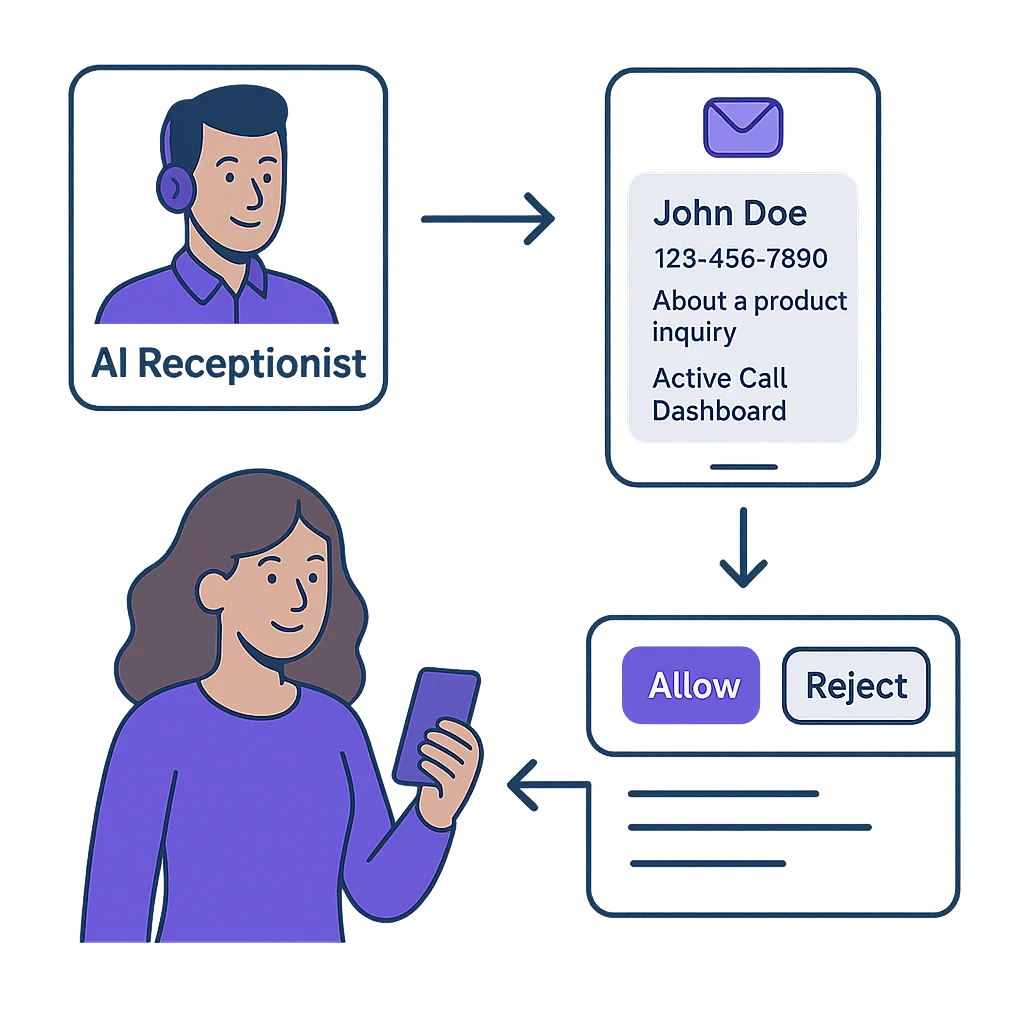
The Blind Transfer Problem
Most AI phone systems use rigid rules: if the caller asks for the owner, transfer immediately. Sounds good in theory—until you're mid-project and get interrupted by a sales pitch.
Call Transfer Permission fixes this. The AI gathers context, you see exactly who's calling and why, then you decide whether it's worth interrupting your work. Simple logic that respects your time.
How It Works
Three steps to informed call decisions
Caller Contacts Your AI
The AI answers, gathers their name, number, and reason for calling—just like a human receptionist would.
You Get Instant SMS
Notification includes caller details and a link to the Active Call Dashboard showing the live transcript.
You Approve or Decline
Click "Allow" to transfer immediately, or "Reject" to have the AI take a message. No response? AI declines after configurable timeout.
Call Transfer Permission vs. The Competition
The only service that lets you approve transfers with full context
| Feature | AI Receptionist | Synthflow | Smith.ai | My AI Front Desk | Dialzara |
|---|---|---|---|---|---|
| Transfer decision control | Slack/Teams only | ||||
| Full caller context before transfer | Via Slack | ||||
| Live transcript visible | |||||
| SMS notification with details | Dashboard/Email | Slack/Email | Email only | Email only | |
| AI keeps caller engaged during review | |||||
| Configurable timeout | N/A | N/A | N/A | N/A | |
| Entry Price | $14/mo | $375/mo | $95/mo | $99/mo | $29/mo |
Pricing data verified March 2026 from public provider websites.
When This Saves You
Mid-Client Meeting
SMS arrives: "John from ABC Corp - wants to discuss the proposal." You see it's your biggest prospect. Accept transfer. If it had been a cold call from a vendor? Reject without breaking flow.
On a Job Site
Notification: "Emergency repair request - water heater failure." Dashboard shows it's a premium client. Accept transfer, provide guidance, dispatch help. All without putting down tools.
Driving Between Appointments
SMS: 'Sarah calling about invoice question.' Quick glance shows it's minor billing clarification. Reject transfer safely while driving. AI takes message, you follow up when parked.
After Hours Call
Late evening alert: 'Mark - says he met you at conference last week.' Context confirms he's a warm lead. Accept transfer from home office. Not a warm lead? Let AI schedule callback.
Frequently Asked Questions
How does Call Transfer Permission work?
When someone calls, your AI answers and gathers information. You receive an SMS with the caller's details and a link to see the live conversation. Click 'Allow' to accept the transfer immediately, or 'Reject' to have the AI take a message. If you don't respond within your timeout period (default 60 seconds), the system automatically declines and the AI handles it professionally.
What information do I see before accepting a call?
You get the caller's name, phone number, reason for calling, and a live transcript of their conversation with the AI. This gives you full context to decide if the call warrants immediate attention or if the AI should handle it.
Do other AI receptionists offer this?
No. Most AI systems use rigid rule-based transfers—if caller asks for owner, transfer automatically. AI Receptionist is unique in combining AI efficiency with human judgment. The AI professionally gathers information while you make the final decision.
What happens to the caller while I'm deciding?
The AI keeps them engaged in natural conversation. No awkward holds or dead air. The caller experiences professional service regardless of whether you accept or reject the transfer.
Is this included in all plans?
Yes! Call Transfer Permission is included starting with our Essential plan at just $14/month. Unlike competitors who charge premium rates for advanced features, we believe every business deserves intelligent call control.
Learn more: Settings Documentation